Hawaii H2O Watch · A 3Brains app

Watch the
water.

Brown-water advisories, ocean conditions, marine forecasts, surf alerts, and tsunami warnings. Hawaii H2O Watch lets you watch any beach, bay, or shoreline in Hawaii and tells you the moment something changes.

For surfers, sailors, fishermen, divers — anyone who loves a Hawaii beach.

Hawaii H2O Watch — Sign in

— 01

How it works.

i.

Add a beach.

Type a name like "Pipeline" or "Hanauma" — or paste an address or coordinates. Pick the radius you want to watch: 1, 5, 50, or 100 miles.

ii.

Watch as many beaches as you want.

Banzai Pipeline. Waimea Bay. Hanauma Bay. Anywhere you surf, sail, dive, or swim. Each beach gets watched independently.

iii.

We alert you.

Brown-water advisories, marine warnings, surf advisories, tsunami warnings — when something happens near one of your beaches, you'll see an Alert.

— 02

A quick tour.

Hawaii H2O Watch pulls live data from the Hawaii Department of Health Clean Water Branch, the National Data Buoy Center, and the U.S. National Weather Service — official sources, refreshed daily. No noise, no hype. Just what's actually happening at the beach you care about.

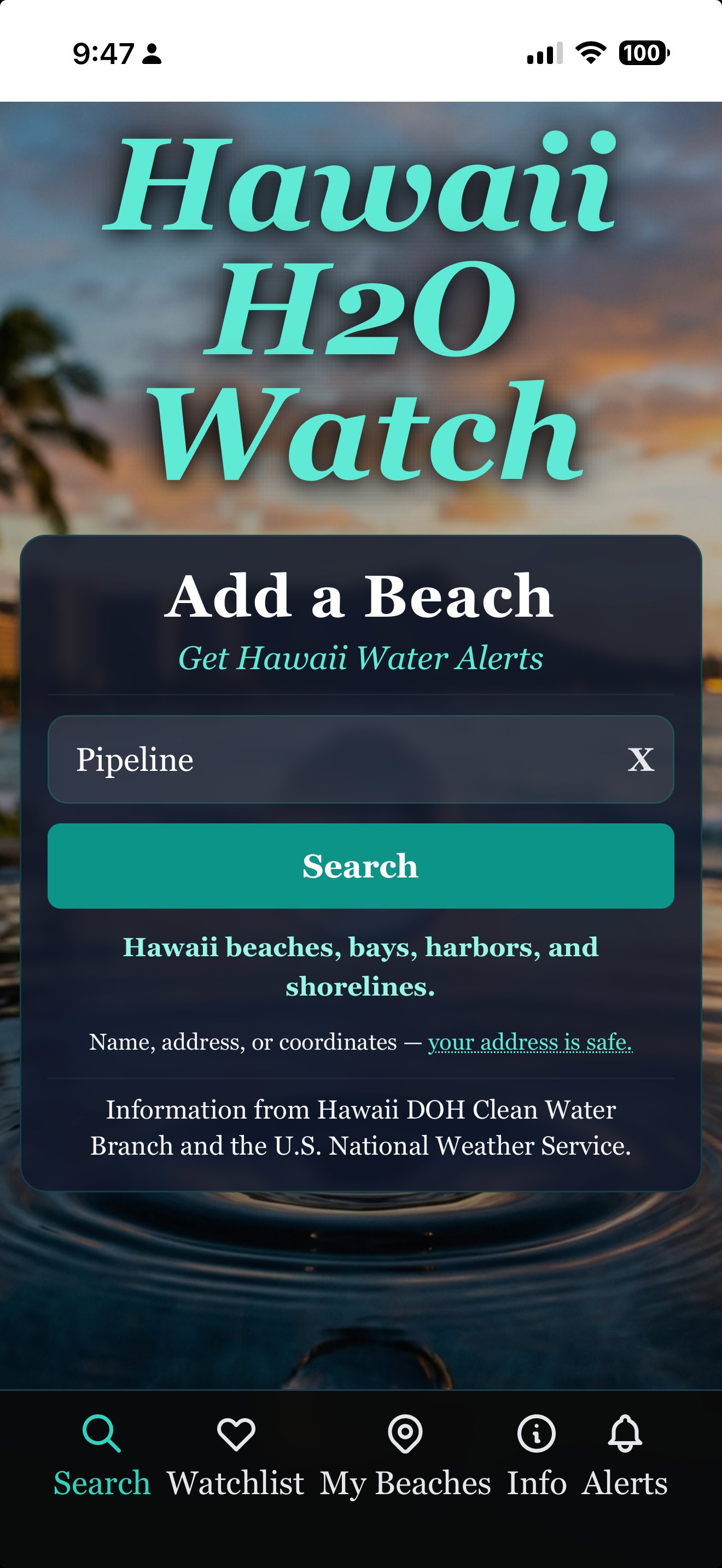
Hawaii H2O Watch — Add a beach
Add a beach

Hawaii beaches, bays, harbors, shorelines.

Type a name, paste an address, or drop in coordinates. Auto-complete pulls from Hawaii DOH's beach list — pick your radius (1, 5, 50, or 100 miles) and add it to your Watchlist. Your address stays private.

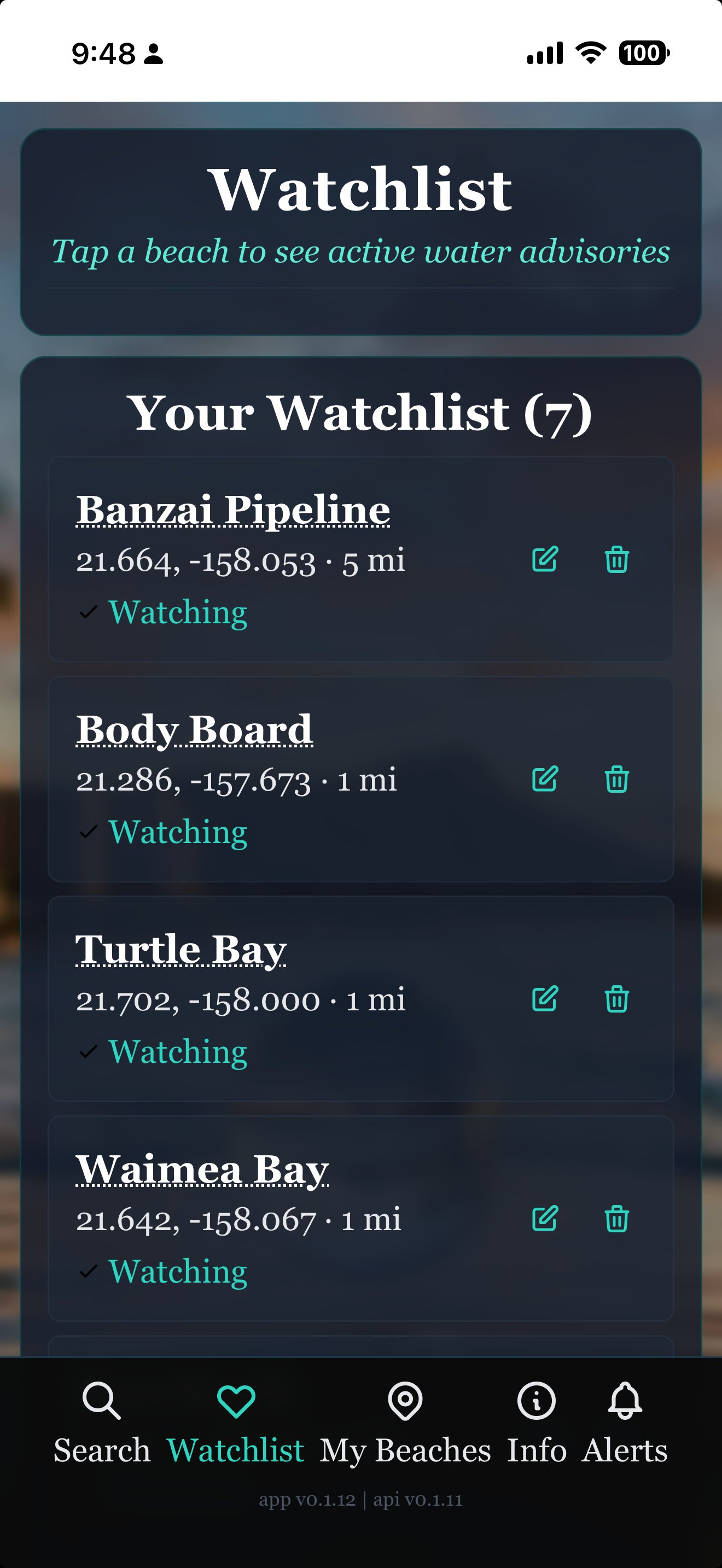
Hawaii H2O Watch — Watchlist
Your watchlist

Every beach, watched independently.

Home break. The bay where the kids swim. The dive site you check before driving across the island. Each beach has its own radius and its own alerts. Tap any of them to see what's happening right now.

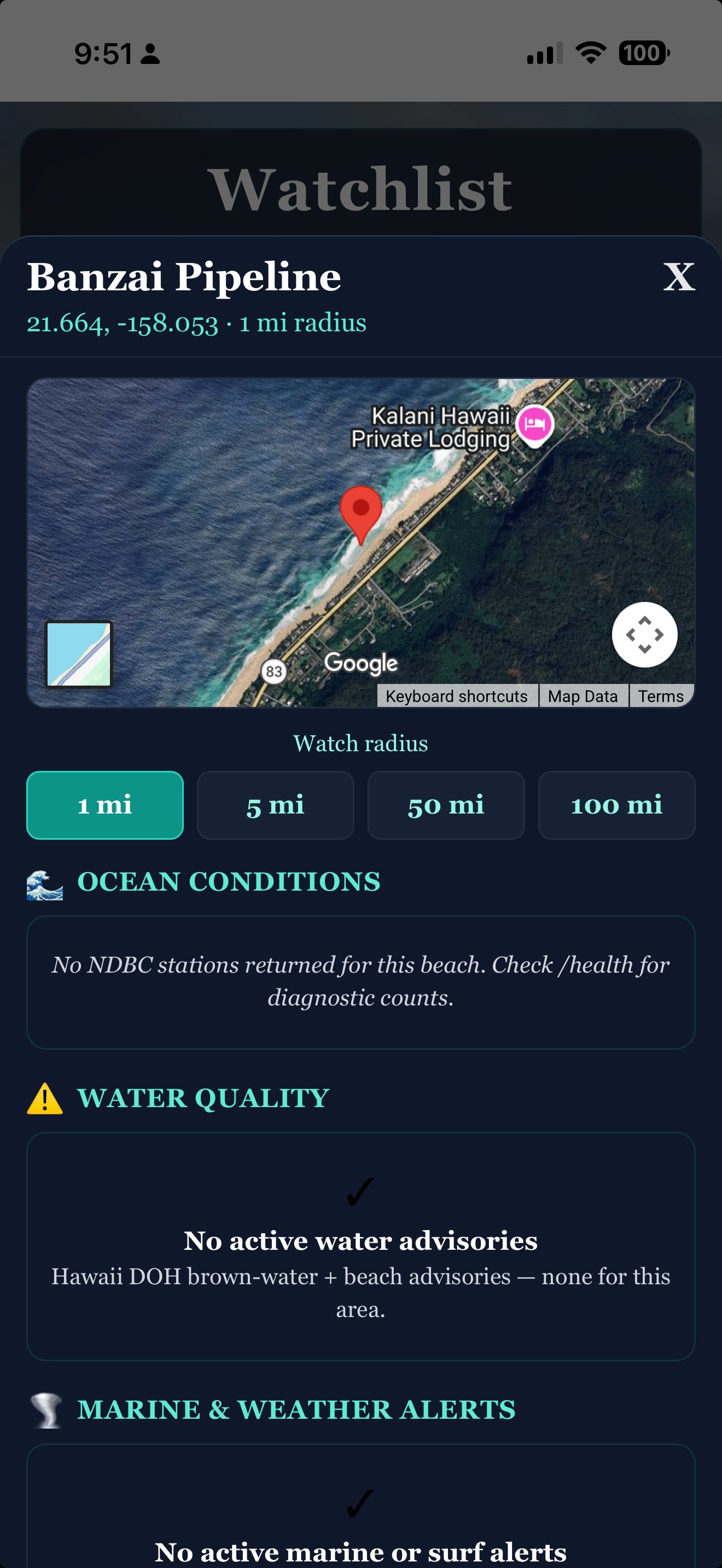
Hawaii H2O Watch — Beach detail with map
Beach detail

Conditions, advisories, alerts.

Watch radius mapped on the satellite. Live ocean conditions from NDBC stations. Water quality from Hawaii DOH brown-water and beach advisories. Marine and surf alerts from the National Weather Service. "No active alerts" is a perfectly good answer — and it means we're still watching.

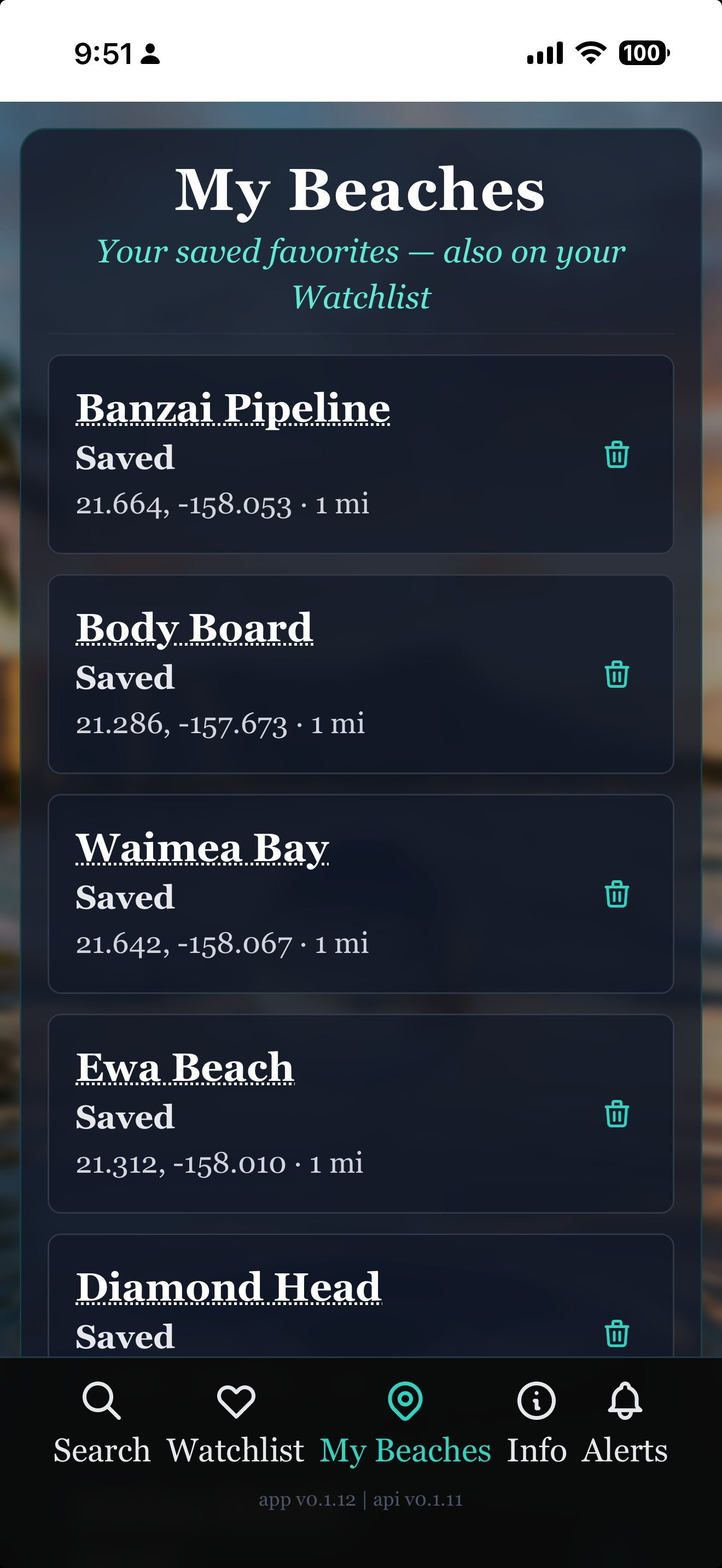
Hawaii H2O Watch — My Beaches
My Beaches

Your favorites. Pinned.

Pin the beaches you check most often — your home break, the cousin's regular spot, the one you'll surf this weekend — and tap any of them for fresh data on demand. Same data as your watchlist, faster to reach.

— 03

Put Hawaii H2O Watch on your phone.

Or just try it now — open it in your browser:

Open Hawaii H2O Watch

Hawaii H2O Watch is a web app — it installs in one tap, with no app store needed. Once installed, it has its own icon on your home screen and runs full-screen, just like any other app.

iPhone & iPad Safari

  1. Open hawaiih2o.watch in Safari (not Chrome — Apple only allows installs from Safari).
  2. Tap the Share button — the square with an arrow pointing up — at the bottom of the screen.
  3. Scroll down in the share menu and tap Add to Home Screen.
  4. Tap Add in the top-right corner. That's it.

The Hawaii H2O Watch icon will appear on your home screen next to your other apps. Tap it any time to launch.

Android Chrome

  1. Open hawaiih2o.watch in Chrome.
  2. Tap the three-dot menu in the top-right corner.
  3. Tap Install app — or Add to Home Screen, depending on your version of Chrome.
  4. Tap Install. That's it.

Some versions of Chrome show an automatic install banner at the bottom of the page — you can use that instead if you'd like.

Already on your phone? Just open it.

Open Hawaii H2O Watch
— 04

A few honest questions.

Where does the data come from?
Three official sources: the Hawaii Department of Health Clean Water Branch for brown-water and beach advisories, the National Data Buoy Center (NDBC) for live ocean conditions, and the U.S. National Weather Service for marine, surf, and tsunami alerts.
Is my address safe?
Yes. Your beaches are stored privately on your account. We don't share, sell, or use them for anything other than telling you when something is happening near them.
What kinds of events trigger an alert?
Brown-water advisories, beach closures, high-surf warnings, small-craft advisories, tsunami warnings, and marine weather changes within your chosen radius. We aim for "things you'd actually want to know about" — not every routine forecast.
Is this only for Hawaii?
Yes. Hawaii H2O Watch is built specifically around Hawaii DOH data and Hawaii-area NWS marine zones. Other coastal regions are on the roadmap.
Does it cost anything?
No. Hawaii H2O Watch is free. There are no ads and no subscriptions on the core experience.
Can I delete my beaches or my account?
Yes — any time, from inside the app. Each beach has a delete button, and the Account section lets you remove everything. We don't make it hard.
— 05

Other 3Brains apps. Same idea, different things to watch.

3Brains is a small platform of watch apps. Once you know one, you know them all — add what you care about, and we'll alert you when something changes.